




Brings ERP information to the people who decide, at the right time
For companies that need documents in their own design, alerts and approvals from ERP data, without customising the core. RACON runs on Sage X3 and is in production at a shipping group operating in Angola and at a natural stone manufacturer.
- 01
Request in the ERP
A button or a rule, without switching applications.
- 02
Delivered where the person is
Browser, printer, email and Teams.
- 03
Your data stays in-house
Files and data on the company network.
Who it is for
Agencies, yards and warehouses
The document requested in Sage X3 comes out on the right printer at the agency, the yard gatehouse or the warehouse.
Administration
The management summary arrives at the scheduled time, with that morning's ERP figures.
Department heads
An alert by email or in Teams when something happens or fails to happen: a port call without a manifest, invoices not yet issued, a deadline at risk.
IT teams
Documents and alerts outside the ERP code, so that version upgrades follow the normal path.
Request it in the ERP, receive it in seconds
RACON works alongside the ERP. It reads what it is allowed to, generates the document inside the company network and delivers it to whoever needs it. The console provides control: which reports exist, who can request them and what happened to each one.
- Sage X3Ports & Shipping and the other modules
- Button or rulethe request is saved in the ERP
- Authorised read accessread-only views
- Reads what is authorised
- Generates PDF and Excel
- Files on the network
- Delivers and records
- reports
- people
- history
- health
The console only receives the log entry, never the file.
- Drawer in the browserdownloads immediately
- Network printeragency, depot, warehouse
- Emailthrough the Microsoft 365 account
- Microsoft Teamsalerts and notifications
- Approvalworkflows with sign-off
Documents with your company branding
Manifests, debit notes and management reports, in PDF and Excel, in the format the company already uses.
Alongside Sage X3, without changing it
Reads data with read-only permission and does not touch the ERP code. Updates follow the normal path.
Your data stays in-house
Files and data stay on the company network, with a record of who requested what, when and where it went.
Beyond generating documents, RACON makes sure they reach the people who decide
Generating a PDF is the starting point of any reporting tool. The value lies in the rest: the right document reaching the right person at the right time, and being recorded.
Drawer in the browser
The document requested in Sage X3 appears in a window alongside and downloads immediately. The ERP is not kept waiting.
Network printing
Each document goes to the right printer at the agency, the depot or the warehouse, with no manual steps.
Reports for the board
Management summaries generated and sent at the scheduled time, with that morning's ERP figures.
Business alerts
Notification by email or Teams when something happens or fails to happen: a port call without a manifest, invoices not yet issued, a deadline at risk.
Approval workflows
Expenses, debit notes and documents that need sign-off go to the approver, with every step recorded.
Traceability and control
Who requested what, when and where it went. Several companies and sites in a single console, with sign-in through the company's Microsoft account.

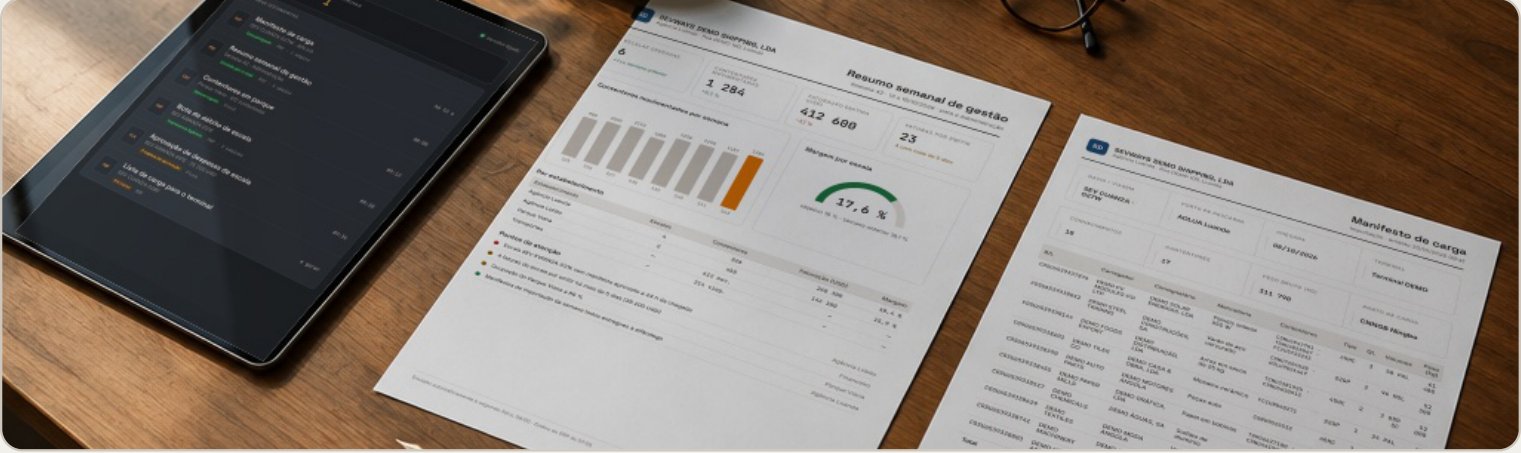
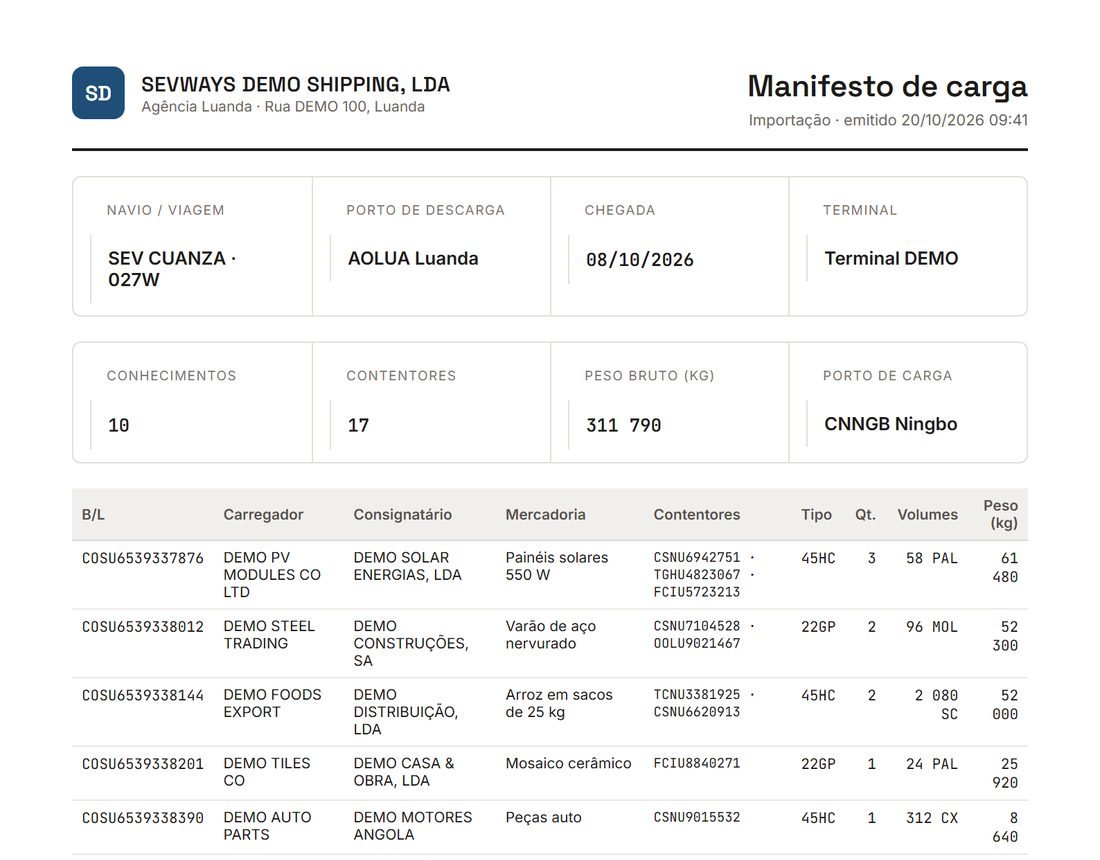
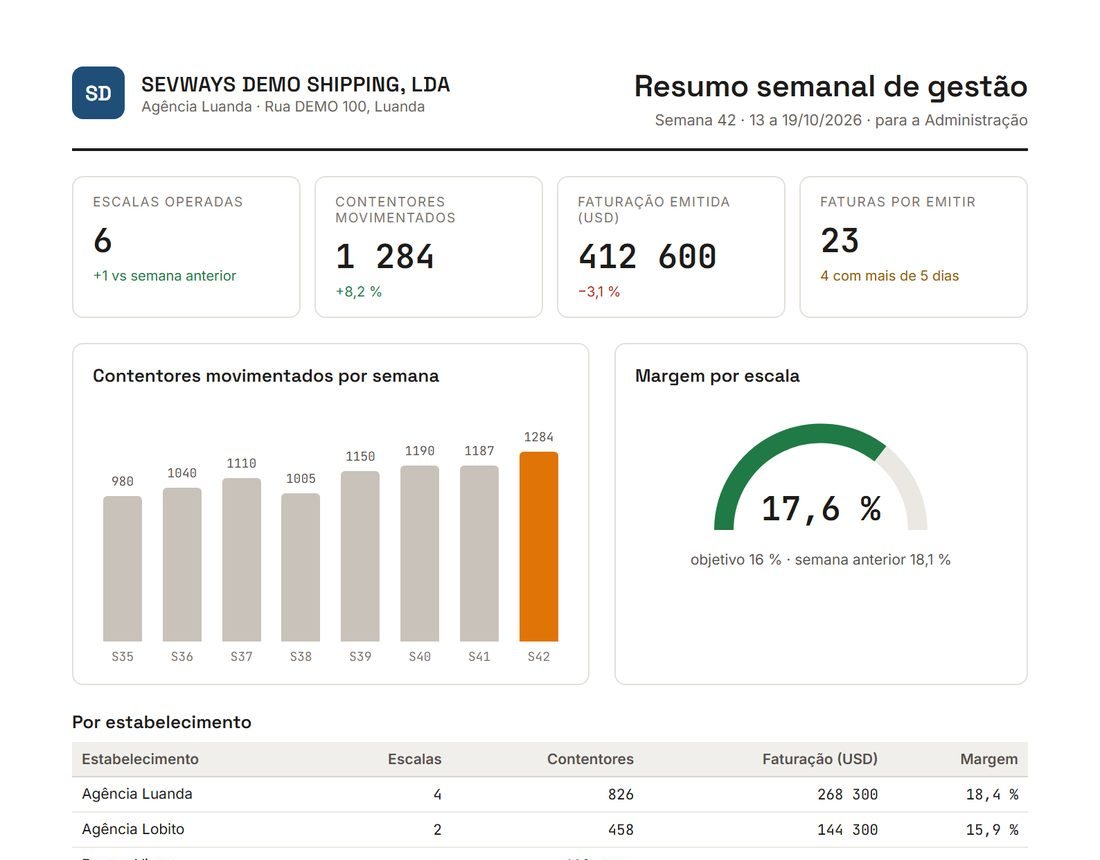
- 08:00The board receives the weekly summary, with that morning's figures.
- 09:34A port call's expenses go to the agency director for approval.
- 09:41The agent requests the manifest in Sage X3 and has it in the browser seconds later.
- 10:15A truck arrives at the depot: the container release note comes out of the gatehouse printer.
- 15:00A port call arrives tomorrow without an approved manifest: the person responsible gets the alert in Teams.
Fast for the people waiting, under control for the people running the service
A heavy report cannot hold up the document someone is waiting for, and whoever runs the systems needs to know, at any moment, whether the service is healthy.
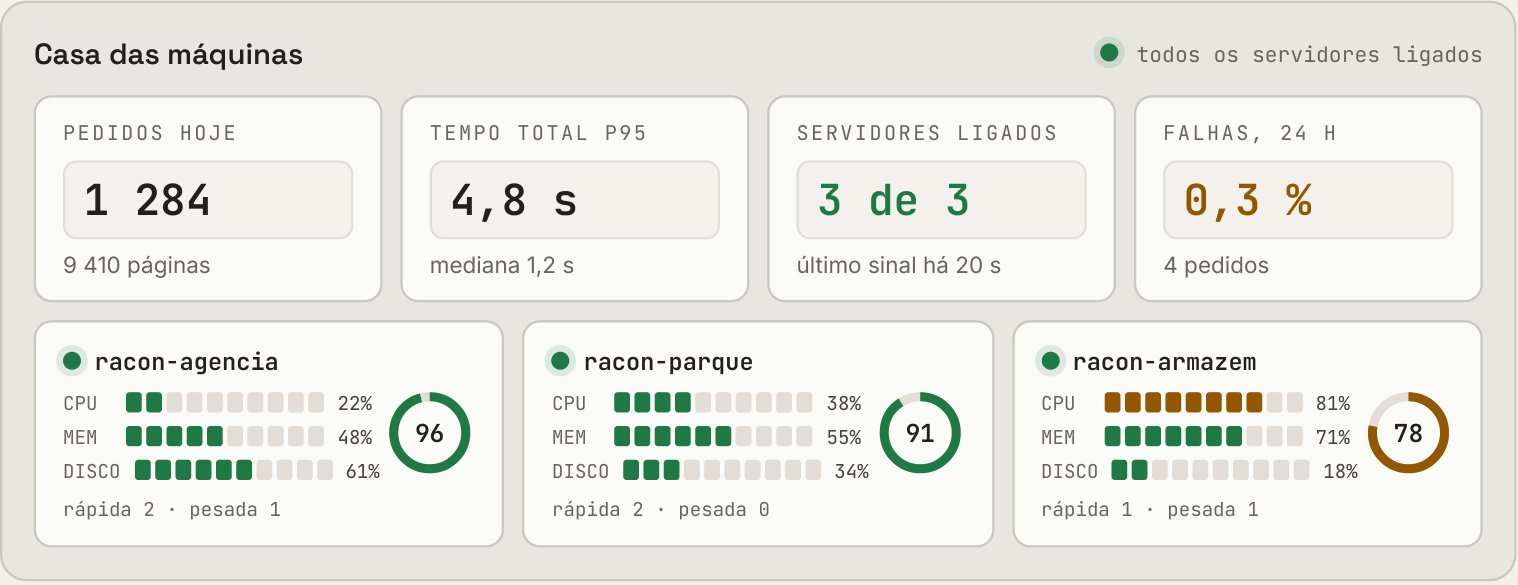
Two queues, no waiting
Short requests go through a fast queue and heavy reports through another. A 200-page manifest does not hold up documents that take seconds.
Service health in plain sight
Each server reports CPU, memory, disk, queues and response times. If it stops responding or failures rise, an alert is raised for the company and for Sevways.
Nothing is lost, nothing is duplicated
Each step is logged before the next one. If a server fails midway, the request resumes and a print job or an email is never sent twice.
Grows with the company
One server per site or per company, all in the same console, with page limits per company, site or document type.
- Security
Read access only to authorised views; writes to the ERP only through the official interfaces.
- Access
Sign-in with the company's Microsoft account; nobody gets in without an invitation.
- Updates
Signed packages, installed in phases and without touching the ERP.
Where RACON stands apart from the alternatives
The usual alternatives solve part of the problem. RACON brings the request in the ERP, delivery to each person, alerts, workflows and control together in one platform.
| Sage X3 reports | BI tool | Reporting tool | Custom-built | RACON | |
|---|---|---|---|---|---|
| Request from within Sage X3 | yes | no | partly | partly | yes |
| Documents with your company branding | yes | partly | yes | partly | yes |
| Delivery to browser, printer, email and Teams | partly | partly | partly | partly | yes |
| Alerts when something fails or is left undone | partly | partly | no | partly | yes |
| Approval workflows with every step recorded | partly | no | no | partly | yes |
| Data and files never leave the company | yes | partly | partly | yes | yes |
| Audit trail for every document, from request to delivery | partly | no | partly | no | yes |
| Predictable cost, with no charge per document | partly | partly | partly | yes | yes |
What we do with RACON
We develop RACON and configure each client's first documents, alerts and workflows.
Installation
We install the RACON server on the company network, with read-only access to the ERP, set up with the database administrator.
Documents and reports
We design the documents in the format the company already uses and validate the layout and the data with the team.
Alerts and workflows
We agree with each department which alerts it receives and which documents need approval.
Support
Each server reports its status. If it stops responding or failures increase, an alert is raised for the company and for Sevways.
To get started
- RACON serverinstallation on a Windows server on the networkhalf a day
- Read access to the ERPread-only views, with the database administratorhalf a day
- Sign-in with the company accountMicrosoft Entra ID1 to 2 h
- First documentscheck layout and data with the team2 to 3 days
How to buy
Monthly subscription per company, with tiers to suit the size of each group and no charge per document: the cost is known from the outset. The price is agreed in writing at the end of the assessment. Configuration of the first reports, alerts and workflows is handled by Sevways.
 Developed in Portugal, in collaboration with Portuguese universities, with generative AI and for European-based companies. In use at three companies, including a shipping group operating in Angola.

Frequently asked questions
Does Sage X3 need to be changed?
No. RACON reads the data with read-only permission and does not touch the ERP code. Since nothing is changed in the core, version upgrades do not break the documents or the alerts.
Does the data leave the company?
No. Files and data stay on the company network. The control console only receives the record of who requested a document, when and where it went, never the file itself.
Does it work with ERPs other than Sage X3?
For now, with Sage X3. We will extend RACON to the other management systems we implement.
Does a heavy report delay other documents?
No. Short requests go through one queue and heavy reports through another, so that a long manifest does not delay a document that takes seconds.
Book an assessment session
Together we choose the first documents, alerts and workflows.
Got a project? Let us talk.
Answer within 24 working hours.